
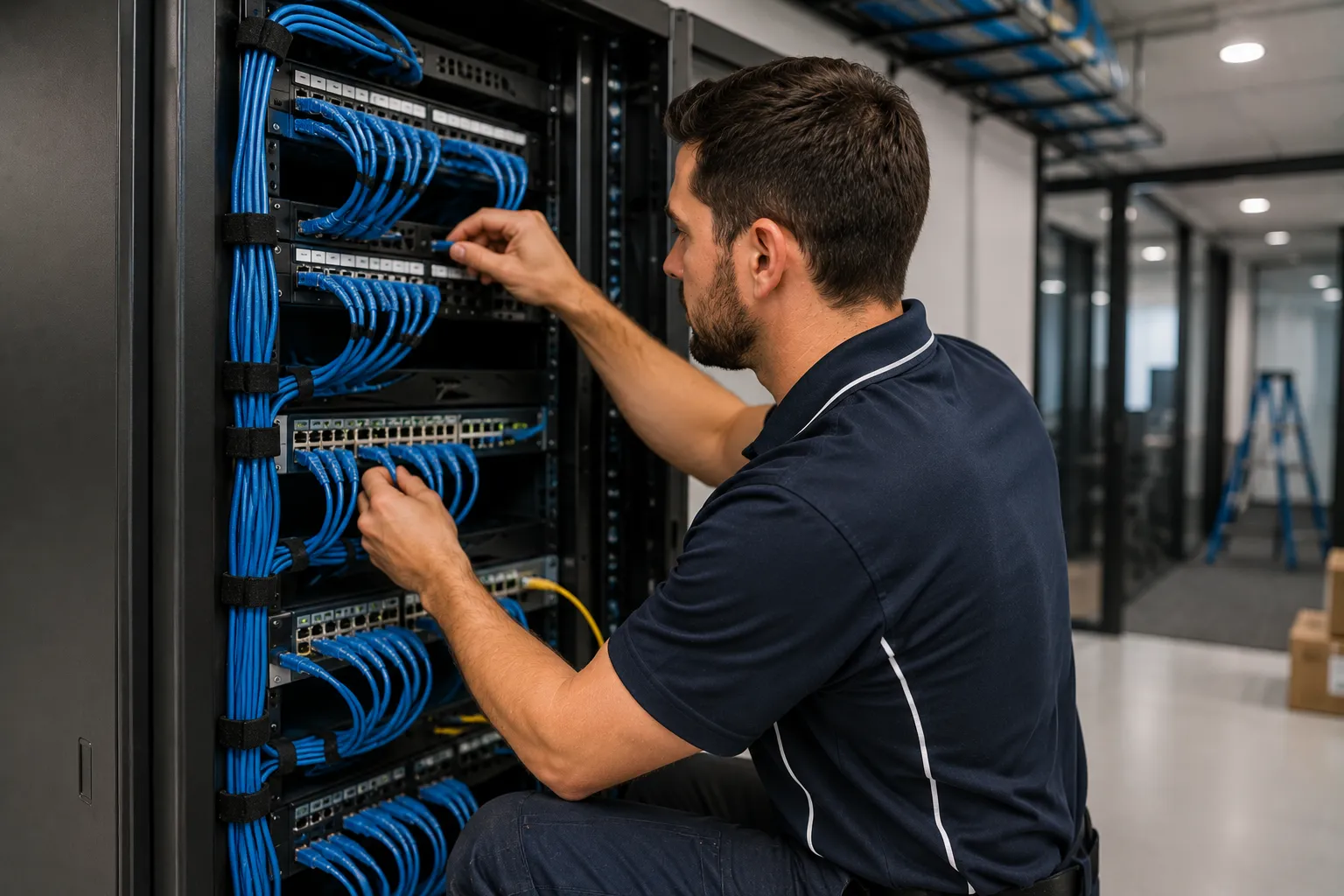
Data cabling is the invisible foundation every modern workplace depends on. Workstations, video conference rooms, security cameras, access readers, WiFi access points, building management sensors, VoIP phones, payment terminals — all of them run on the structured cabling installed when the office was fitted out, and all of them suffer when that cabling is sub-standard. The difference between a network that just works for decades and one that needs constant intervention is almost entirely down to the cabling installation quality and certification — not the switches, not the WiFi gear, not the software. Aurora Electrical Solutions delivers commercial data cabling across Brisbane, the Gold Coast, Logan and SEQ — Cat6 and Cat6A structured cabling, fibre optic backbone runs, comms room builds, patch panel termination, ACMA Open Cabler registered installation, Fluke DSX certification testing, and full AS/CA S009 compliance documentation. We deliver as part of integrated commercial electrical projects (office fit-outs, refurbishments, new tenancies) or as standalone data cabling scope. Aurora is a fully licensed Queensland electrical contractor (Licence EC91972) working alongside ACMA-registered cablers, Master Electricians Australia members, fully insured with $20M public liability.
What's included
- Cat6 structured cabling installation (1 Gbps to 55m, suitable for most office workstation runs)
- Cat6A structured cabling installation (10 Gbps to 100m, future-proof for PoE++ devices, premium fit-outs)
- Fibre optic backbone cabling — multimode (OM3, OM4, OM5) and singlemode (OS2) — for inter-floor and inter-building runs
- Comms room and equipment room build — racks, patch panels, switches power, cooling integration
- Patch panel termination with discipline (T568A or T568B per project standard) and proper labelling
- WiFi access point cabling with PoE++ support — overhead pathway, in-ceiling termination
- CCTV cabling for IP security cameras — PoE-powered, structured pathways
- Access control cabling (door readers, magnets, REX, request-to-exit, intercom)
- Audio-visual cabling — HDMI, USB-C, DisplayPort extension over Cat6A or fibre, AV racks
- VoIP and unified communications cabling
- Cable management — overhead tray, basket, conduit, riser, in-floor
- Fire-stopping at penetrations through fire-rated walls and floors (approved fire-stop products)
- Fluke DSX CableAnalyzer certification testing for every cable with full test reports
- ACMA Open Cabler registered installation with TCA1 documentation
- AS/CA S009 compliant installation with full as-built drawings and cable schedules
- Coordination with IT companies, MSPs and network integrators on switching configuration
When you need commercial data cabling
If any of these apply, your business is either operating with cabling that's already a constraint or is about to be:
- You're fitting out a new office tenancy and need workstation and equipment cabling installed
- You're refurbishing existing office space and want the cabling refreshed to modern standards
- Your existing cabling is Cat5e or older and limiting your network performance
- You're adding new workstations, meeting rooms or video conference rooms that need cabling
- You're installing IP CCTV cameras, WiFi access points, access readers or other PoE devices
- Your network has unexplained connection drops or slow speeds (often a cabling issue, not the switches)
- Your comms room is a mess of mixed cables, undocumented patches and no labelling
- You're moving to or from a building and need cabling at the new tenancy
- You're a builder or fit-out contractor needing reliable cabling delivery on a tight program
- You need an ACMA-registered cabler for compliance with telecommunications law
- Your IT company wants a structured cabling partner for white-label field delivery
- You're planning building services upgrades that depend on robust cabling infrastructure
- You need fibre backbone between floors of a multi-storey tenancy
- Your audio-visual or boardroom AV install needs proper cable infrastructure
How much does commercial data cabling cost in Brisbane?
Pricing depends on cable category, point quantity, run distances, access conditions (ceiling vs wall cavity vs concrete), and whether the install is integrated with broader fit-out work or standalone. Per-point cost typically reduces with volume — 50 points is significantly cheaper per point than 5. Here are typical Brisbane ranges for 2026:
- Single Cat6 data point (accessible ceiling, short run): typically $150 – $300 per point installed
- Single Cat6A data point: typically $200 – $400 per point installed
- Volume Cat6 (20+ points in one fit-out): typically $120 – $220 per point
- Volume Cat6A (20+ points): typically $160 – $300 per point
- Combined power+data outlet (when delivered alongside electrical fit-out): typically $250 – $450 per outlet
- Patch panel termination (24-port Cat6 panel): typically $400 – $900 supplied and terminated
- Patch panel termination (24-port Cat6A panel): typically $600 – $1,400 supplied and terminated
- Comms room rack supply and installation (24U-42U): typically $1,500 – $4,500 depending on size
- Comms room build (rack, patching, power, basic cooling): typically $6,000 – $20,000 depending on scope
- Fibre optic termination (per fibre, including connector): typically $150 – $400 per termination
- Fibre patch panel and splice tray: typically $800 – $2,500
- Inter-floor fibre run (multimode OM4, 1-3 floors): typically $1,500 – $4,500 per run
- Fluke DSX certification testing (per cable): typically $40 – $100 per cable
- Fire-stopping at fire-rated wall penetrations: typically $200 – $600 per penetration
- Cable management (overhead tray, basket): typically $80 – $180 per linear metre
- WiFi access point cabling (PoE++, in-ceiling termination): typically $250 – $500 per AP
Every cabling project is custom-quoted after design review or site visit. We provide fixed-price quotes with itemised scope, clear inclusions and exclusions, and certifier-ready documentation. Volume discounts apply for office fit-outs and projects with 20+ points. Free site visit for project quotes across Brisbane and SEQ.
How long does commercial data cabling take?
Single-point installations are typically 1-2 hours. Small office cabling jobs (5-15 points) run a day. Mid-size office fit-out cabling (30-80 points): 3-7 days on site. Larger fit-outs (100+ points): 1-3 weeks. Comms room builds: 1-2 weeks depending on equipment scope and switching configuration. Fibre backbone runs: 1-3 days per run depending on building access. Cabling work integrates tightly with the broader fit-out program — we time our installation to fit between framing and ceiling close-up (rough-in cable runs) and final fit-off (terminations and certification). Cabling that delays other trades is rare with experienced delivery; cabling that other trades delay (waiting on ceilings, partitions or power) is unfortunately common — we manage around it.
Cat6 vs Cat6A vs fibre — choosing the right cable category
Cable category selection is the most important technical decision in any commercial data cabling project. The right choice depends on bandwidth requirements, run distances, future-proofing horizon, and budget. Here's the honest comparison:
- Cat5e — 1 Gbps to 100m. Increasingly obsolete for new commercial installs. Acceptable only for replacing isolated existing cables in a same-grade environment. Don't specify Cat5e for new commercial work.
- Cat6 — 1 Gbps to 100m, 10 Gbps to ~55m. The current commercial workhorse. Supports gigabit easily, supports 10G over short runs. Suits standard workstation cabling in office environments. Cost-effective when budget matters. Recommended for: most office workstation cabling, standard meeting rooms, retail tenancies.
- Cat6A — 10 Gbps to 100m. Premium future-proof standard. Better PoE++ power handling (90W per cable for PoE-powered devices). Recommended for: premium office fit-outs, WiFi access point cabling, IP CCTV, AV equipment, anywhere PoE devices will draw substantial power. The right choice when the budget supports it.
- Cat7 / Cat7A — niche standard, mostly used in Europe. Rarely specified in Australian commercial installs. Cat6A is generally the better choice for the same use cases.
- Cat8 — 25/40 Gbps to 30m. Data centre standard for short-distance high-bandwidth connections (server-to-switch, switch-to-switch within a rack). Not used for general office cabling.
- Multimode fibre (OM3, OM4, OM5) — 10-100 Gbps, longer distances than copper. OM4 is the current standard for inter-floor backbone runs (typically 1-3km depending on speed). Used for: building backbone, inter-floor runs, premium tenancies with substantial bandwidth needs.
- Singlemode fibre (OS2) — 1-100 Gbps, distances up to 40+ km. Used for: inter-building runs (campuses), connections to NBN providers, long-distance backbone. Higher install cost but unmatched distance and bandwidth.
- PoE infrastructure decision — if your network will include substantial PoE-powered devices (WiFi access points drawing 30W each, IP cameras drawing 15-30W, IP phones drawing 7-15W), Cat6A is the right choice because of better PoE++ power handling and lower cable heating in bundles.
How a commercial data cabling project runs
Aurora's data cabling delivery follows a documented process from initial design through certification handover. Here's how a typical project runs:
- Site survey and design review — We attend the site (or review the fit-out drawings if pre-construction), assess existing infrastructure (existing cabling, comms room, building pathways, cable tray capacity), identify pathway routes for new cabling, and confirm the cable category and quantity needed against the project brief. For office fit-outs we coordinate with the lead contractor and interior designer.
- Detailed design and cable schedule — Cable schedule documenting every point with location, terminations, cable category, run distance, and target port assignment. Single-line schematic of the comms room layout. Patch panel allocation and labelling scheme. Fixed-price quote with line-item scope, certification testing included, and as-built documentation in scope.
- Pathway and containment installation — Overhead cable tray, basket, conduit, or in-floor pathway installed before cable pulling. Fire-stopping installed at all fire-rated wall and floor penetrations using approved products. Cable pathways planned to minimise EMI from electrical cabling (separation distances per AS/NZS 3084 maintained).
- Cable pulling and rough termination — Cable runs pulled through the planned pathways, labelled at both ends per the cable schedule, with appropriate slack at termination points. Cables not over-tensioned during pulling (preserves performance). For premium installs we use the manufacturer-specified jacketing and termination components (R&M, Commscope, Panduit, Belden) rather than mixed budget kit.
- Termination and patch panel build — Cable termination at outlets (keystones) and patch panels per the project standard (T568A or T568B), with discipline maintained on twist preservation (the #1 quality differentiator in cable termination). Patch panel rack-mounted, labelled, cable-managed with velcro ties (not zip ties, which can over-tighten and damage cable).
- Fluke DSX certification testing and documentation — Every cable certified with Fluke DSX CableAnalyzer to the relevant standard (Cat6 or Cat6A per cable category). Test results captured and exported to PDF for each cable. Any failed cables remediated and re-tested. Final documentation pack: cable schedule, patch panel layout, test reports for every cable, as-built drawings, ACMA TCA1 form. Handover to customer or IT integrator.
ACMA Open Cabler registration — why it matters legally
Telecommunications cabling in Australia is regulated separately from electrical work. Anyone installing, maintaining, or modifying telecommunications cabling that connects to the network must hold a current ACMA cabler registration. The relevant law is the Telecommunications Act 1997 and the Telecommunications Cabling Provider Rules 2014. Penalties for non-compliant work include fines up to $13,320 for individuals and the cable installation being declared non-compliant (potentially requiring redo at the installer's cost).
There are three classes of cabler registration: Open (most comprehensive — covers all cabling work in residential, commercial, industrial), Restricted (limited scope, residential and small commercial), and Lift (specialist class for lift cabling). For commercial data cabling, an Open Cabler registration is essential.
Aurora delivers commercial data cabling through ACMA Open Cabler registered installers. The registration covers Cat6, Cat6A, fibre optic, telephone cabling, and all the other telecommunications media used in commercial installs. Documentation includes ACMA TCA1 forms (Telecommunications Cabling Advice) provided to the customer as part of every cabling project — the formal record that the cabling was installed by a registered cabler to current standards.
A common mistake by businesses engaging "general electricians" for data cabling: assuming an electrical licence covers telecommunications cabling. It doesn't. These are separate regulatory frameworks with separate registration requirements. For any commercial data cabling work, verify the installer holds ACMA Open Cabler registration — same as you'd verify an electrical contractor's licence number. The registration number should appear on quotes and invoices.
Fluke DSX certification — what "properly tested" actually means
Cable testing is where quality cabling separates from cheap cabling. Two common testing approaches:
Continuity testing only — verifies that the cable carries signal end-to-end (pins are wired correctly, no breaks). Quick, cheap, often the only test budget cablers perform. Tells you the cable works at all; tells you nothing about whether it meets the performance category claimed.
Certification testing — measures performance against the relevant standard (Cat6, Cat6A, etc.) on multiple parameters: NEXT (Near-End Crosstalk), Return Loss, Insertion Loss, ACR-F (Attenuation to Crosstalk Ratio Far-End), Delay Skew, length, propagation delay. A cable that passes continuity but fails NEXT or Return Loss tests will work for basic connectivity but will produce errors and reduced throughput on high-bandwidth applications.
The industry standard certification tool is the Fluke DSX CableAnalyzer series (DSX-8000 and equivalents). These are precision instruments costing $15,000-$30,000+, used by professional cabling contractors. Each cable test takes 6-12 seconds and produces a detailed PDF report showing pass/fail and margin against all parameters. The reports become part of the as-built documentation pack.
Aurora's commercial data cabling installations are 100% Fluke DSX certified. Every cable tested. Every test report archived and delivered to the customer. Cables that fail testing are remediated (re-terminated, replaced if necessary) and re-tested. This is what "properly certified cabling" actually means in practice — not a generic test sticker, but a documented test report for every cable showing it meets the performance class claimed.
The economic justification: a single bad cable in a 100-point install produces ongoing network problems that the customer's IT team will troubleshoot for hours or days before identifying the cause. Certification adds typically $40-$100 per cable to the install cost; the avoided IT troubleshooting cost typically pays for the certification 5-10× over the cable's service life.
Cat6 vs Cat6A — the decision framework
The Cat6 vs Cat6A decision is the most common technical question in commercial data cabling projects. Cat6A costs 30-50% more than Cat6 (cable, components, and slightly more termination time), but offers better future-proofing, better PoE handling, and supports 10 Gbps over the full 100m channel rather than only short runs.
Cat6 is the right choice when: the building has a short expected tenancy life (5 years or less), workstation devices are standard PCs and IP phones, PoE loads are modest (low-power WiFi access points, basic cameras), budget is tight, and the network upgrade horizon is short. Most budget and mid-range Cat B office fit-outs specify Cat6.
Cat6A is the right choice when: the building has a longer expected tenancy life (7+ years), the tenancy hosts substantial PoE-powered infrastructure (WiFi 6/7 access points drawing 25-40W, IP cameras with PTZ heating drawing 30W+, IoT building sensors), the network is expected to upgrade to 10 Gbps in the foreseeable future, or the tenancy is premium-positioned. Most premium Cat B and Cat C fit-outs specify Cat6A.
Mixed Cat6 / Cat6A approach is increasingly common: Cat6A for the high-value backbone runs (server-to-distribution, switch-to-switch, WiFi access points), Cat6 for the lower-value workstation cabling. Saves cost on bulk runs while preserving performance on infrastructure that will be replaced last.
For most Brisbane office fit-outs in 2026, our default recommendation is Cat6A unless budget specifically precludes it. The premium is modest, the future-proofing genuine, and the PoE handling advantages real. We'll quote Cat6 if you specify it, but we'll point out the trade-offs.
PoE infrastructure — the modern reason for premium cabling
Power over Ethernet (PoE) has transformed the economics of commercial data cabling. Where cabling used to just carry data, modern PoE delivers electrical power to network-connected devices through the same cable — eliminating the need for separate power circuits to WiFi access points, IP cameras, IP phones, access readers, IoT sensors, and increasingly even building lighting.
PoE standards and power levels: PoE (15.4W per device), PoE+ (30W), PoE++ Type 3 (60W), PoE++ Type 4 (90W). Each step up the standard supports more demanding devices but draws more current through the cable, generating more heat in cable bundles.
Cable category implications: Cat6 handles PoE and PoE+ comfortably. Cat6A handles PoE++ Type 3 and Type 4 reliably with lower cable bundle heating — the key advantage when you have 30-50 PoE devices on one floor.
Common Brisbane PoE applications: WiFi 6/7 access points (one per 50-100 m² in modern offices, drawing 25-40W each), IP CCTV cameras (typically 15-30W each, more for PTZ models with heaters), IP phones and softphone-replacement devices (7-15W), door access readers (8-15W), IoT sensors (1-5W), digital signage displays (powered through PoE++ Type 4 in some models, 60-90W), LED lighting (PoE-powered fittings increasingly available, 5-15W per fitting).
The cabling design implication: with 30-50 PoE devices on a floor, total power delivered through the data cabling can reach 1-3 kW. Heat dissipation in cable bundles becomes significant. Cat6A's larger conductors handle this better than Cat6, and cable bundle separation rules (max 24 cables per bundle for high-PoE applications) become important. Aurora's data cabling designs account for PoE loads and bundle heating, not just data connectivity.
Comms room design — racks, patching, cable management, cooling
The comms room is where all the cabling terminates and the network infrastructure lives. A well-designed comms room is straightforward to maintain, easy to expand, and stays operational under all expected conditions. A poorly-designed one becomes a constant source of trouble — overheated equipment, tangled cables nobody can trace, ageing patches that fail unexpectedly.
Rack sizing and selection: 24U racks suit small offices, 42U racks are the workhorse for medium offices, larger facilities may need multiple racks. We use floor-mount racks with proper venting (front-to-back airflow) rather than wall-mount cabinets (which restrict airflow and complicate maintenance).
Patch panel layout: organised by floor/zone with consistent numbering scheme, labelled both at the panel and at the patch cable, with sufficient cable management between patches to prevent strain on terminations. Best practice: every patch panel port labelled with destination outlet location, every patch cable labelled at both ends.
Cable management discipline: velcro ties (not zip ties — these over-tighten and damage cables), horizontal cable management between patch panels, cable basket above the rack for inbound cables, organised vertical cable runs. The visual difference between well-managed and poorly-managed cable management is dramatic and directly indicates installation quality.
Power provision: dedicated electrical circuits for the rack (typically 2-4 × 15A circuits, sometimes dedicated three-phase for larger setups), UPS for clean power and ride-through during brief outages, dedicated RCD protection. We deliver the electrical scope as part of our integrated commercial electrical capability.
Cooling integration: small comms rooms (single rack) can usually rely on building AC distribution, larger rooms may need dedicated split system AC with year-round operation, very large server installations may need precision cooling units. We design the cooling scope based on the actual heat load (typically 80% of the equipment power consumption converts to heat).
Cable management discipline — the visible quality signal
Cable management is the most visible indicator of cabling installation quality, and the most consistent area where amateur and professional installations differ. The technical performance of cables doesn't depend much on how they're managed (assuming bend radius and tension limits are respected), but the long-term maintainability of a system does — and so does the customer's confidence in the work.
Velcro ties, not zip ties: cable bundles secured with velcro ties (CableMate, Rip-Tie, or generic equivalents). Velcro doesn't over-tighten, can be opened and re-closed during moves, and doesn't damage cable jackets. Zip ties tightened by hand can compress cable bundles enough to degrade performance and damage jackets over time.
Service loops: 1-3 metres of slack cable provided at each termination point, coiled neatly above the ceiling or in the rack, allowing for future moves, re-terminations or repairs without re-pulling cable. Service loops are the difference between "we can move this outlet next month" and "we need to re-pull the cable."
Pathway separation: data cables routed separately from electrical cables, with appropriate separation distances per AS/NZS 3084 (typically 50mm for parallel runs, can be closer at crossings). Mixed pathways cause EMI that degrades data performance and creates ongoing troubleshooting problems.
Bend radius respect: cables not over-bent at terminations, in conduit, or around obstacles. Cat6 minimum bend radius is 4× cable diameter; Cat6A is 8× cable diameter. Tight bends degrade NEXT and Return Loss performance permanently.
Labelling discipline: every cable labelled at both ends with consistent numbering scheme, every patch panel port labelled with destination, every outlet labelled at the wall plate. Documentation matches the physical labels exactly. This is the single most important piece of post-install IT maintenance support.
AS/CA S009 and the documentation pack
AS/CA S009 is the Australian standard governing customer cabling installation — the industry rulebook for commercial data cabling. Compliance with S009 is required by the Telecommunications Cabling Provider Rules and is what ACMA cabler registration enforces.
Key S009 requirements include: cabling installed only by registered cablers, separation distances from electrical cables maintained, fire-stopping at fire-rated penetrations, proper earthing for shielded cabling systems, telecommunications outlets meeting prescribed mechanical and electrical requirements, and documentation of the installation provided to the customer.
The S009 documentation pack Aurora delivers with every commercial cabling project: ACMA TCA1 form (Telecommunications Cabling Advice), cable schedule listing every cable with location, category, length and test result, as-built single-line diagrams showing the cabling layout, Fluke DSX certification reports for every cable, photographs of comms room and key installation points, manufacturer warranty documentation for components used, and a cabler's compliance declaration signed by the registered cabler.
The documentation matters in three scenarios: at handover (proves the installation was done to standard), during future moves/additions/changes (lets future cablers understand what's where), and in disputes (provides evidence if cabling performance becomes contested). Without proper documentation, future IT troubleshooting becomes guess-work and any future contractor effectively has to re-document the installation before they can do useful work.