
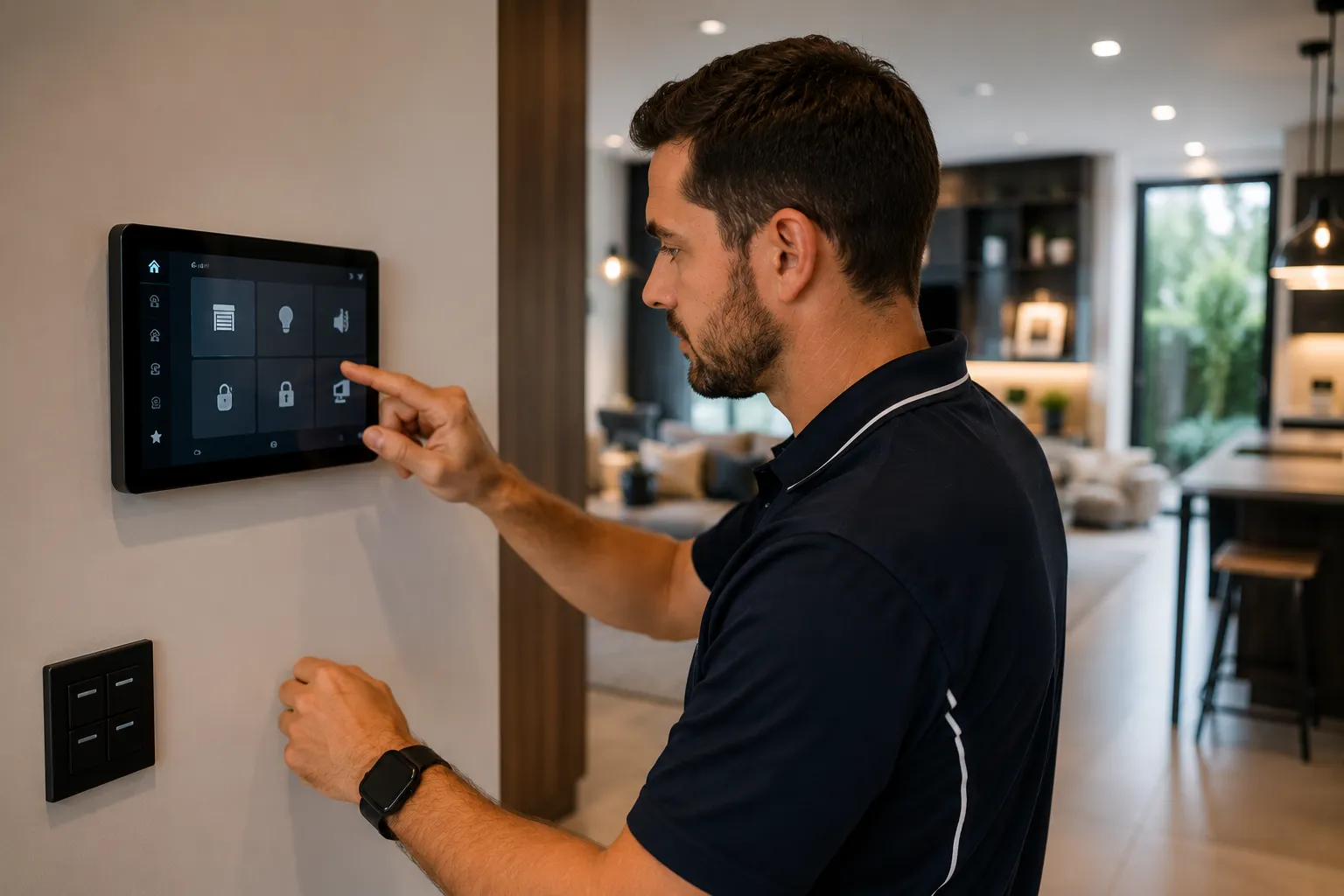
Home automation in 2026 is a paradox — the technology is more capable and cheaper than ever, yet the experience of most homeowners is a tangle of incompatible apps, switches that don't work when the Wi-Fi drops, and a smart home that's actually less reliable than a dumb one. The difference between a working smart home and a frustrating one is rarely the products themselves — it's the design, wiring and integration. Aurora Electrical Solutions delivers home automation across Brisbane, the Gold Coast, Logan and SEQ as a licensed electrical contractor first and smart home installer second. Smart switch retrofits, whole-home wired systems (Clipsal C-Bus, KNX, Philips Dynalite), voice assistant integration (Apple Home, Google Home, Amazon Alexa), energy automation (solar diversion, EV charging coordination), and the underlying electrical infrastructure these systems need to actually work — neutral wires, dedicated circuits, robust Wi-Fi backhaul, proper RCD protection. Aurora is a fully licensed Queensland electrical contractor (Licence EC91972), Master Electricians Australia members, fully insured.
What's included
- Smart switch and dimmer installation (Clipsal Wiser, Aqara, Shelly, Lutron Caséta, Schneider, Legrand)
- Smart lighting systems (Philips Hue, LIFX, Nanoleaf, smart bulb integration)
- Whole-home wired automation (Clipsal C-Bus, KNX, Philips Dynalite, DALI lighting control)
- Voice assistant setup and integration (Apple Home, Google Home, Amazon Alexa, Matter)
- Smart climate control integration (split system AC, ducted AC, smart thermostats)
- Smart security integration (smart locks, video doorbells, alarm systems, CCTV)
- Smart blinds, awnings and motorised curtain installation
- Smart power points and IoT outlet installation
- Smart pool pump and equipment control
- Energy automation (solar diversion to hot water, EV, pool; load scheduling for off-peak tariff)
- Home Assistant deployment and integration for power users
- Wi-Fi backbone improvements (mesh systems, ethernet runs, access point installation)
- Neutral wire retrofitting for smart switches in older homes
- System design and consultation for new builds and major renovations
When home automation is worth doing
Home automation isn't right for every household — and an honest electrician will tell you when you don't need it. But these scenarios usually justify the investment:
- You're building a new home or doing a major renovation (cabling for wired systems is much cheaper during construction)
- You're installing solar and want automated load shifting to maximise self-consumption
- You have an EV (or planning one) and want smart charging coordinated with solar production
- You travel frequently and want remote control over lighting, climate, security
- You have accessibility needs that voice control or app control solves (mobility, vision)
- You want energy monitoring at the circuit level (which appliances are using what)
- You have a pool, ducted AC, multiple zones, multi-storey home with complex lighting control needs
- You're tired of switching between 5 different apps to control your home
- Your existing smart switches keep going offline or losing their state after power blips
- You bought smart bulbs but realised dumb switches still cut power to them (proper smart switches are the answer)
- You want premium scene control (one button to set evening lighting, music, blinds, climate)
- You have rental properties and want remote control over compliance items (smoke alarm testing, hot water scheduling)
How much does home automation cost in Brisbane?
Home automation pricing spans an enormous range — from $500 for a few smart switches to $50,000+ for a whole-home wired system. Here are typical Brisbane investment levels for 2026:
- Single-room smart switch retrofit (2-4 switches plus voice setup): typically $400 – $1,200 installed
- Smart lighting starter pack (10-15 smart switches across main living areas): typically $1,500 – $3,500 installed
- Whole-house smart switch retrofit (every wall switch replaced with smart equivalent): typically $4,000 – $9,000 installed
- Smart thermostat integration with existing AC: typically $300 – $700 per thermostat installed
- Smart security integration (smart lock + video doorbell + 4-6 cameras): typically $1,800 – $4,500 installed
- Smart blinds (motorised, app-controlled): typically $400 – $900 per window installed
- Smart pool pump control retrofit: typically $400 – $900
- Home Assistant deployment (server, Z-Wave/Zigbee/Matter hub, integration): typically $1,500 – $4,000
- Wi-Fi backbone upgrade (mesh system or ethernet + access points for whole-home coverage): typically $1,200 – $4,000
- Wired Clipsal C-Bus installation for a new home (lighting + scenes + integration): typically $15,000 – $40,000
- KNX whole-home system (premium): typically $20,000 – $60,000+
- Philips Dynalite lighting control (premium new build): typically $18,000 – $50,000
Free consultation and fixed-price quote — we discuss what you want to achieve, what you already have, your budget, and recommend the right approach. We don't push the most expensive option — sometimes a $1,500 wireless smart switch retrofit is exactly the right answer; sometimes a $25,000 C-Bus install genuinely is. We tell you honestly.
How long does home automation take to install?
Single-room smart switch retrofits take 2-4 hours. A whole-house smart switch retrofit typically takes 2-3 days (every switch replaced, neutral wire added where missing, scenes configured, voice assistant integrated). Wired premium systems (C-Bus, KNX, Dynalite) take 2-6 weeks of installation for a typical home — coordinated with the construction program for new builds. Home Assistant deployments with significant integration work take 1-2 weeks calendar time, though most is configuration rather than on-site labour. We schedule the install around your routine — most retrofit work happens during business hours with minimal disruption.
Wireless smart switches vs wired C-Bus/KNX — choosing the right approach
The biggest decision in home automation is wireless retrofit versus wired professional system. Here's the honest comparison so you can choose the right approach for your situation:
- Wireless smart switch retrofit (Clipsal Wiser, Aqara, Shelly, Lutron Caséta, Schneider) — Cost: $2,000-$9,000 for whole-home. Pros: works in existing homes, easy to add/expand, doesn't need new cabling, uses existing wall switch boxes. Cons: depends on Wi-Fi reliability, needs neutral wire in switch box (many older Brisbane homes don't have one), individual switches may need replacement every 7-10 years.
- Clipsal C-Bus (wired) — Cost: $15,000-$40,000 for whole-home. Pros: extremely reliable (doesn't depend on Wi-Fi), elegant user interface, scene programming superior to wireless, future-proof, strong Australian support. Cons: requires dedicated low-voltage cabling (best installed during construction), professional design and commissioning required, higher upfront cost.
- KNX (wired, open standard) — Cost: $20,000-$60,000+ for whole-home. Pros: international open standard with thousands of compatible devices, future-proof, integrates with everything, no vendor lock-in. Cons: requires KNX-certified installer, more expensive than C-Bus for similar functionality, install complexity.
- Philips Dynalite (wired, lighting-focused) — Cost: $18,000-$50,000 for whole-home. Pros: best-in-class lighting control, integrates with C-Bus or KNX for non-lighting automation, premium keypads, Australian-developed. Cons: lighting-focused (need other systems for HVAC, security), higher cost.
- Home Assistant (open-source, software-based) — Cost: $1,500-$4,000 deployment. Pros: extreme flexibility, integrates with virtually any product, no monthly fees, complete local control, the power user's choice. Cons: requires technical knowledge to set up, ongoing maintenance, support is community-based not commercial.
- Voice-only ecosystem (Apple Home, Google Home, Amazon Alexa) — Cost: $200-$800 for hardware + smart switches/plugs. Pros: cheapest entry point, easy to set up, broad device compatibility. Cons: depends on cloud services, limited scene/scheduling capability without supplementing with other systems, individual device limitations.
How a home automation project runs
Good home automation projects start with conversation, not products. Here's how we typically run a project:
- Free consultation and goals discussion — We sit down (in person or video call) and discuss what you want to achieve. Energy automation? Lighting scenes? Voice control? Whole-home wired system for a new build? Just smart switches in key rooms? The right system depends entirely on the goal — and we don't push solutions you don't need.
- Site assessment and existing infrastructure review — For retrofits, we assess your existing electrical: do switches have neutral wires (critical for most smart switches)? Is Wi-Fi coverage robust throughout the home? Do you have a structured cabling backbone, or just Wi-Fi? We identify any infrastructure work needed before automation can be added cleanly.
- System design and fixed-price quote — We propose a specific system — wired or wireless or hybrid — with brand recommendations, scope clearly defined, and fixed-price quoting. For wired premium systems we provide a single-line diagram and device schedule before committing.
- Pre-install preparation — For retrofit projects: we order devices, schedule the install dates. For wired systems: we coordinate with the builder (new construction) or work out staged install windows (existing home retrofits). For Home Assistant deployments: we pre-configure the server and integrations before the on-site visit.
- Installation and electrical work — Smart switches installed in existing wall boxes (with neutral retrofit where needed). Wired systems cabled and devices mounted. Wi-Fi backbone improved with additional access points or mesh extension where needed. All electrical work to AS/NZS 3000:2018 with proper RCD protection.
- Configuration, integration and walkthrough — Devices commissioned, integrated with your chosen voice assistant, scenes configured to match your daily routines, scheduling set up for energy efficiency. We walk you through how to operate the system, how to add new devices in future, and what to do if something goes offline. Most homeowners are running their automation confidently within the first week.
The platform problem — and how to think about it
The biggest source of home automation frustration isn't the technology — it's the platform fragmentation. Most homes end up with a Google or Apple voice assistant, plus smart bulbs from one brand, smart switches from another, a smart lock from a third, security cameras from a fourth, and a smart thermostat from a fifth. Each has its own app. Some integrate with the voice assistant; some don't. Some lose connection when the Wi-Fi blips; some work fine. The result feels less like a smart home and more like a collection of disconnected gadgets.
The solution is to design the system around a single integration layer, not a single brand. The integration layer is what brings everything together — Apple HomeKit, Google Home, Amazon Alexa, or Home Assistant. You choose the integration layer first based on your phone (Apple users → HomeKit, Android users → Google Home, mixed households → Alexa or Home Assistant), then you only buy devices that work with that integration layer.
The new Matter standard (launched late 2023, widespread by 2025) is genuinely changing this. Matter-compatible devices work across HomeKit, Google Home, Alexa, and SmartThings simultaneously — same device, all platforms. For new home automation purchases in 2026 and beyond, prioritising Matter-compatible devices avoids platform lock-in entirely. Aurora installs Matter-compatible products wherever they meet the quality bar, future-proofing your investment regardless of which voice assistant you prefer.
For premium installations, professional wired systems (C-Bus, KNX, Dynalite) have their own integration layer — the wired bus itself. These systems work without any cloud connection at all, which is why they're far more reliable than wireless smart homes. They typically also integrate with voice assistants via a bridge module, giving you both wired reliability and voice convenience.
The neutral wire problem — and why many smart switch installs fail
Here's the technical reality most smart switch retailers don't tell you upfront: most modern smart switches need a neutral wire in the switch box to work. Without it, the switch can't power itself when off (because it's always-on internally, even when the load it controls is off).
Australian homes built before roughly 2000 typically didn't have neutrals at switch boxes — the active wire ran from the ceiling to the switch and back, with the neutral connecting directly to the light fitting in the ceiling. This was perfectly safe and code-compliant at the time. But it means retrofitting smart switches in older Brisbane homes (which is most of them) often runs into the missing-neutral problem.
There are three solutions: (1) Install "no-neutral" smart switches — these exist but are limited; they typically only work reliably with incandescent loads (which are increasingly rare) or specific LED drivers. They often cause flickering with modern LEDs. (2) Run new neutral wires to the switch boxes — proper electrical work, typically requires opening up the ceiling or walls to route the new cable. Done well, it's a permanent fix. (3) Use smart bulbs with dumb (always-on) switches — the bulbs themselves handle the on/off via their internal smart radio. Reliable but more expensive per fitting.
Aurora handles all three approaches. We assess your home's wiring during the quote and tell you honestly which approach makes sense. For homes where running neutrals is impractical, we typically recommend a smart bulb approach (Philips Hue or LIFX) with battery-powered scene controllers. For homes where neutrals can be added cleanly, we install proper smart switches that work reliably for the long term.
Energy automation — the highest-ROI home automation work
If you have solar (or are planning solar), automated load shifting is one of the highest-value automation projects you can deliver. The principle: schedule high-power loads to run during solar production hours so you use the energy you're generating instead of exporting it cheap and buying it back expensive.
Typical loads worth automating: hot water (heat pump or electric storage scheduled for 10am-3pm solar window instead of overnight off-peak), EV charging (smart EV chargers like Zappi divert excess solar to the car automatically), pool pump (run during peak solar hours instead of overnight or full-time), dishwasher and washing machine (schedule for daylight hours). Each of these shifts a kWh that would have exported at 6-10c to a kWh that displaces grid consumption at 28-35c — a saving of 20-28c per kWh moved.
For a typical Brisbane household with 6.6kW solar, hot water + pool pump + selective dishwasher scheduling typically saves an additional $400-$800/year on top of basic solar savings. With an EV in the mix the additional savings can be $1,000-$2,000/year. The automation needed to deliver this is usually $1,500-$4,000 (smart switches, controllers, integration) — so payback is typically 2-4 years.
Aurora delivers energy automation as part of solar + EV charger projects, or as a standalone project for homes with existing solar. The integration ties together your solar inverter monitoring, smart switches on the major loads, and a scheduling logic that runs the right things at the right time. See our solar page and EV charger page for the underlying installations.
Premium wired systems — Clipsal C-Bus, KNX, Dynalite
For new builds and major renovations, wired automation systems (C-Bus, KNX, Dynalite) represent the gold standard of home automation. They're significantly more expensive than wireless smart switches but deliver advantages that wireless systems can't match.
Reliability: wired systems don't depend on Wi-Fi or cloud services. The bus cabling carries both power and control signals, and devices communicate over the wire without needing internet. A C-Bus or KNX home keeps working perfectly even if the entire internet drops. For premium properties, holiday homes, or anywhere reliability matters, this is a substantial advantage.
Scene control: wired systems offer far richer scene programming than wireless. A single keypad button can simultaneously dim 12 lights to specific levels, close the blinds, change the AC temperature, lock the doors, and start music — all in one synchronised action that completes in under a second. Wireless smart homes typically have multi-second delays and frequent partial failures on complex scenes.
Premium keypad aesthetics: C-Bus, KNX and Dynalite all support premium engraved metal keypads (typically black, brushed aluminium, or stainless) that look like part of the architecture rather than tacked-on technology. For high-end homes the visual impact alone often justifies the system.
Future-proofing: wired systems installed during construction typically last 20+ years with only software updates. The wireless devices we install today will mostly be obsolete in 7-10 years. Premium homes built to last 30+ years should generally use wired systems for the core automation.
Aurora is a Clipsal C-Bus installer with extensive experience across Brisbane premium properties — Bulimba, Hamilton, Hendra, Burleigh Heads. For KNX or Dynalite projects we partner with specialised commissioners where helpful. Whichever system suits your project, we deliver the full electrical scope under our licence.
Wi-Fi and network infrastructure — the foundation that's usually missing
Most home automation failures aren't device failures — they're network failures. A smart home is only as reliable as the Wi-Fi network underneath it. The classic Brisbane home automation failure mode: customer installs smart switches, they work fine for 6 months, then start dropping offline at random. The customer blames the switches; the actual problem is a Wi-Fi network that was marginal even for browsing and falls over when 30+ smart devices are competing for bandwidth.
Good home automation needs three Wi-Fi properties: strong signal in every room with smart devices (no marginal coverage), capacity for many devices (a typical smart home has 30-80 connected devices, far more than basic routers handle well), and 2.4 GHz availability (most smart switches and sensors only work on 2.4 GHz, not the faster 5 GHz that newer routers prefer).
Aurora delivers Wi-Fi backbone improvements as part of home automation projects. Common approaches: mesh Wi-Fi systems (Eero, Asus ZenWiFi, Netgear Orbi) for medium-size homes with good central placement, ethernet-backhauled access points (Ubiquiti UniFi, TP-Link Omada) for larger homes where mesh-only is insufficient, structured cabling retrofit for homes that need genuine cabled network drops to multiple rooms.
For new builds and major renovations, we always recommend running Cat6 ethernet cables to all the rooms where wireless reliability matters (offices, media rooms, AV equipment locations). The marginal cost during construction is minimal; retrofitting cabling later is significantly more expensive.
Voice assistants — Apple Home, Google Home, Amazon Alexa, Matter
Voice assistants are the consumer-facing layer of most home automation projects. The choice between them usually comes down to your existing phone and computer ecosystem:
Apple Home (HomeKit) — Best for Apple households (iPhone, iPad, Mac, Apple TV, HomePod). Strong privacy positioning (local processing where possible). Limited but growing device compatibility — every device is HomeKit-certified for a reason. Excellent integration with Apple Watch for quick controls. The HomeKit Secure Video feature for cameras is genuinely good. Higher cost per device historically but Matter is closing this gap.
Google Home (Google Assistant) — Best for Android households and Google services users. Broad device compatibility, generally lower cost devices. Excellent voice recognition. Routines are powerful and flexible. Some concerns about privacy and data handling (Google reads everything you say to it). Good integration with Google Nest cameras and thermostats.
Amazon Alexa — Best for households with significant Amazon Echo presence. Largest device ecosystem (most things work with Alexa first). Strong routine engine. Skills (third-party integrations) are extensive but variable quality. Echo devices are inexpensive starting points.
Matter — Not an assistant itself but a device standard that works with all of the above simultaneously. The right choice for new device purchases when you want to avoid platform lock-in. We install Matter-compatible devices wherever quality matches, allowing the customer to switch voice assistants in future without replacing their smart hardware.
Home Assistant — The power user choice. Runs on a small local server (Raspberry Pi, mini PC, or NUC), supports thousands of device integrations, no monthly fees, complete local control. Steeper learning curve but the most capable platform for genuinely complex automation. We deploy Home Assistant for customers who want maximum control and don't mind the technical learning curve.
Smart security integration — locks, doorbells, cameras
Smart security is one of the most common automation entry points — and one of the most fragmented. The major components: smart locks (Yale, August, Schlage, Lockwood — replace your existing deadbolt with a Wi-Fi or Bluetooth-enabled equivalent), video doorbells (Ring, Nest, Eufy, Reolink — replace your existing doorbell with a camera + intercom), security cameras (Ring, Nest, Eufy, Reolink, Hikvision, UniFi — indoor and outdoor camera coverage), and alarm system integration (Bosch Solution, Paradox, Honeywell — traditional wired alarm panels that now offer smart app integration).
Aurora installs all the major brands. We don't push one — recommendation depends on whether you already have an alarm system (we integrate rather than replace), whether you have existing camera infrastructure (we extend rather than redo), and your platform preference. For most homes a smart doorbell + 4-6 cameras + smart lock on the front door is the sweet spot.
Common integration patterns: door opens → entry lighting comes on, security system disarms, alarm panel notifies homeowner. Or security camera detects motion at night → exterior floodlights activate, recording starts, notification sent. These are the kinds of integrated scenes that make smart security feel intelligent rather than just digital.
Important practical note: most smart locks and cameras can be installed by the customer or a handyman, but the electrical work for hardwired floodlights, doorbell transformers, alarm system wiring, and integrated lighting control should be done by a licensed electrician. We typically deliver the electrical infrastructure plus configuration, leaving simpler device installations to the customer if they prefer.