
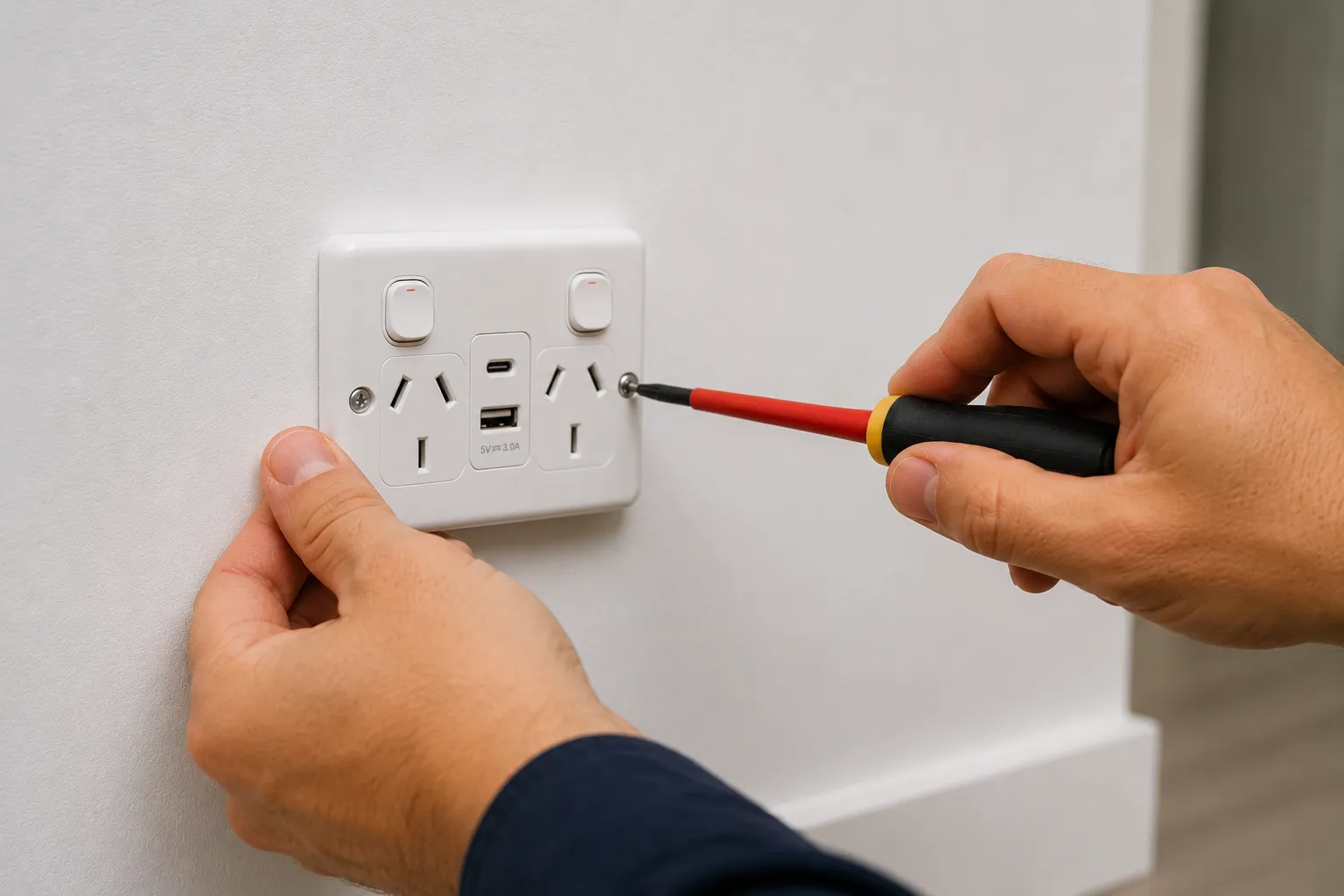
Power point work is the single most common residential electrical job in Brisbane — every home needs more outlets than it has, every renovation adds them, every home office and bedroom and outdoor entertaining area benefits from them. Aurora Electrical Solutions installs, upgrades and repairs power points across Brisbane, the Gold Coast, Logan and SEQ. Single, double and quad GPOs, USB-A and USB-C integrated outlets, weatherproof outdoor power points, 15A appliance circuits, smart Wi-Fi outlets, and repairs to faulty or damaged sockets. All work is licensed (no DIY power point work is legal in Australia), to AS/NZS 3000:2018, with Certificate of Test and Compliance issued on completion. Aurora is a fully licensed Queensland electrical contractor (Licence EC91972), Master Electricians Australia members, fully insured.
What's included
- Single GPO installation (standard 10A outlet for one device)
- Double GPO installation (the standard residential outlet, two devices)
- Quad GPO installation (4-outlet, ideal for TV/entertainment and home office)
- USB-integrated power points (USB-A 3A and USB-C PD up to 65W)
- Weatherproof outdoor power points (IP44 to IP66 rated for Brisbane storm season)
- 15A power points for window AC, garage workshop, caravan supply
- 20A and 32A appliance circuits for ovens, induction cooktops, EV chargers
- Smart Wi-Fi power points with energy monitoring and remote control
- Floor-mounted GPOs (floor boxes for open-plan living, kitchen islands)
- Counter-mounted GPOs (kitchen benchtops, pop-up outlets)
- Repair of scorched, sparking, loose or faulty outlets
- Replacement of cracked or discoloured cover plates
- GPO relocation when furniture layout changes
- Existing circuit capacity assessment before adding new outlets
- Premium brand options: Clipsal Iconic, Clipsal Saturn, HPM Excel, Legrand Excel Life, Schneider PDL
- Free quotes, fixed-price, Certificate of Test issued on every job
When you need new or upgraded power points
Power points are an unsexy job that quietly transforms how a room functions. If any of these apply, an extra outlet (or six) is overdue:
- You're using power boards or extension cords as permanent solutions (significant fire risk)
- You can't reach an outlet from where you actually want to plug something in
- Your home was built before 2000 and has only 1-2 power points per room
- You're working from home with multiple devices charging simultaneously (laptop, phone, tablet, monitor)
- Your bedside table has a tangle of charging cables instead of a USB-integrated GPO
- Your kitchen benchtop has no power for the kettle/toaster/coffee machine combo
- You're renovating and want the GPOs in the right places, not where they were 30 years ago
- Your existing GPOs are scorched, sparking, loose or warm to the touch (immediate safety concern)
- You're installing window AC, an EV charger, or a workshop tool needing a 15A or higher circuit
- Outdoor entertaining area has no power for fans, lighting, BBQ, music
- You have a home office that needs proper power and data infrastructure
- You want USB-C charging built into key locations (bedroom, kitchen island, study, lounge)
- Smart Wi-Fi outlets would solve a specific automation problem (Christmas lights, fans, lamps)
How much does power point installation cost in Brisbane?
Power point pricing is straightforward — driven by outlet type, whether existing wiring can be reused, and how many you're installing at once. Per-outlet cost drops sharply when multiple are installed in the same visit. Here are typical Brisbane ranges for 2026:
- Single GPO installation (existing wiring): typically $80 – $160
- Double GPO installation (existing wiring): typically $90 – $220
- Quad GPO installation (4-outlet, existing wiring): typically $180 – $350
- USB-A integrated double GPO: typically $150 – $250
- USB-A + USB-C integrated double GPO: typically $180 – $300
- USB-C PD (up to 65W laptop charging) GPO: typically $250 – $400
- Weatherproof outdoor GPO (IP44 to IP66): typically $180 – $350
- 15A appliance power point (window AC, workshop): typically $200 – $320
- 20A or 32A circuit GPO (oven, EV charger): typically $280 – $550 plus dedicated circuit work
- Smart Wi-Fi GPO with energy monitoring: typically $250 – $450
- Floor-mounted GPO (floor box, requires under-floor access or in-slab work): typically $300 – $600
- Counter-mounted pop-up GPO: typically $400 – $750
- New GPO requiring new circuit from switchboard (no existing nearby): typically $300 – $600+ per outlet
- Replacement of damaged/sparking GPO (existing in same position): typically $80 – $150
- Bundled pricing (multiple GPOs in one visit): typically reduces 20-35% per outlet — discuss when quoting
Power points are the easiest electrical job to bundle. Most homeowners get the best value installing 4-8 outlets in a single visit rather than one at a time. We quote fixed-price upfront with all options shown so you can compare adding USB-C, going to quad outlets, or running additional points. Free quote, no callout charge on quoted work, Certificate of Test issued on completion.
How long does power point installation take?
A single GPO replacement (existing position) takes 30-60 minutes. A new GPO using existing nearby wiring (e.g. extending a circuit to an adjacent wall): 60-90 minutes. A new GPO requiring a new circuit from the switchboard: 2-4 hours. Bundling multiple installations: a 6-8 GPO whole-room refresh typically completes in 4-6 hours. Most power point work can be done with the rest of the house operating normally — we only isolate the specific circuit being worked on. Same-day service available across Brisbane for urgent jobs (sparking outlet, repair to damaged GPO).
Power point types — choosing what's right for each location
Modern power points come in more variants than they used to. The right type for each location depends on what gets plugged in, where it sits, and the surrounding environment:
- Standard double GPO (10A) — the residential default, two outlets, suits 95% of indoor locations. Modern Clipsal Iconic or HPM Excel designs look clean against any wall colour. Typical install: $90-$220.
- USB-A integrated GPO — adds 1-2 USB-A ports (5V/3A) alongside the two power outlets, charging phones and small devices without occupying a power socket. Suits bedrooms, lounges, study areas, kitchen island corners. Typical install: $150-$250.
- USB-A + USB-C integrated GPO — the current sweet spot, adds both USB-A and USB-C ports. USB-C handles tablets, newer phones, even small laptops. Suits any modern living space. Typical install: $180-$300.
- USB-C PD (Power Delivery) GPO — high-power USB-C charging (up to 65W) suitable for laptop charging direct from the wall. Premium option for home offices, bedside tables, kitchen breakfast bars. Typical install: $250-$400.
- Weatherproof outdoor GPO (IP44 to IP66) — sealed cover with weatherproof gasket, suitable for outdoor entertaining areas, BBQ zones, gardens, pool surrounds. IP44 for covered outdoor areas, IP66 for fully exposed locations. Typical install: $180-$350.
- 15A power point — higher-current outlet (different plug shape from standard 10A) for window air conditioners, garage workshop tools, caravan supply. Requires a dedicated 15A circuit (often a new circuit from the switchboard). Typical install: $200-$320 plus circuit work if needed.
- 20A and 32A circuits — for high-power appliances like ovens, induction cooktops, electric hot water systems, EV chargers. Each requires a dedicated circuit and appropriate cable sizing. Typically integrated with switchboard upgrade or appliance install scope.
- Smart Wi-Fi GPO — internet-connected outlet that can be controlled by app or voice (Alexa, Google Home, Apple HomeKit), with energy monitoring of what's plugged in. Suits Christmas light timing, lamp scheduling, fan control, energy tracking experiments. Typical install: $250-$450 each.
- Quad GPO (4-outlet) — uses the space of a double GPO but provides four outlets. Excellent value for TV/entertainment walls, home office desks, kitchen benchtops with multiple appliances. Typical install: $180-$350.
- Floor and counter-mounted GPOs — outlets that sit in the floor (floor boxes for open-plan rooms) or pop up from kitchen benchtops, eliminating wall outlets in awkward locations. Premium options for design-conscious spaces. Typical install: $300-$750.
How power point installation runs
Power points are fast, clean jobs that respect occupied homes. Here's how Aurora typically delivers:
- Free quote — usually remote — Send photos of the locations you want GPOs added or upgraded, and a quick description of what's already there. For most jobs we quote remotely within 24 hours. For larger jobs (whole-room refresh, new circuits required) we visit the site briefly first.
- Outlet selection and brand choice — We recommend the right type for each location — standard, USB-A, USB-A+C, USB-C PD, weatherproof, 15A, smart Wi-Fi — and confirm brand preference. Most jobs default to Clipsal Iconic or HPM Excel for the right balance of quality, aesthetics and price. Premium options (Clipsal Saturn flat-plate, Legrand Excel Life) available if your interiors demand them.
- Circuit capacity check — Before adding new GPOs we verify the existing circuit can handle the additional load. Most residential circuits are 16A (3,600W). If you're adding outlets for high-draw appliances (heater, dryer, AC) or many simultaneous devices, we may need to run a new dedicated circuit from the switchboard — quoted separately so you know exactly what's included.
- Install — clean and contained — Drop sheet down, dust bag under the work area, circuit isolated and locked out. Old outlet removed, new outlet wired in (or new cable run if extending the circuit), terminations checked. Most single-outlet installs complete in 30-60 minutes. Multi-outlet jobs work room-by-room with minimal disruption to the rest of the home.
- Test, label and certify — Each new outlet tested for correct polarity, earth continuity, and proper operation. RCD protection verified on the parent circuit. Certificate of Test and Compliance issued on completion. We tidy the work area before leaving — no plaster dust on the carpet, no offcuts on the floor.
Why DIY power point work is illegal — and what the real risk is
All fixed electrical work in Australia must be performed by a licensed electrician, including power point installation, replacement, and repair. This isn't bureaucratic over-reach — the safety statistics support the rule. The Electrical Safety Office reports that unlicensed electrical work is a contributor to roughly 15-20 residential electrical fires every year in Queensland alone, plus serious injuries from electric shock during attempted DIY work.
The penalties for unlicensed electrical work in Queensland are substantial — fines up to $40,000 for individuals and $200,000 for businesses under the Electrical Safety Act 2002. More importantly, work performed by unlicensed persons is typically not covered by home insurance — a fire caused by a DIY power point installation can void your contents and building insurance claims, leaving you with the full repair and replacement cost personally.
The work itself isn't conceptually complex — connect active, neutral, earth — but the safety margins are tighter than they look. Loose terminations cause heat build-up and arc faults; reversed polarity creates shock risk on appliances with metal cases; insufficient cable size for the load creates fire risk in walls; missing earth continuity defeats RCD protection. Licensed electricians test for all of these as standard. DIY installations typically test for none.
If your house has DIY-installed power points from previous owners, it's worth having them assessed during any electrical work in the home. We can identify and remediate non-compliant installations as part of a broader job — typically a small additional cost compared to leaving the risk in place.
USB charging — USB-A, USB-C, and Power Delivery explained
USB-integrated power points have moved from premium upgrade to standard expectation in most modern Brisbane homes. The distinction between USB types matters because the wrong choice leaves you with a slow-charging outlet that needs replacing again in a few years:
USB-A 5V/2.4A — the older standard, suitable for charging phones at moderate speed. Increasingly obsolete as devices move to higher-power charging. Don't specify this for new installs unless cost is the absolute priority.
USB-A 5V/3A — the current USB-A standard, faster than 2.4A, suitable for phones and small devices. Still limited to lower-power charging — won't charge a tablet quickly or a laptop at all.
USB-C (basic) — USB-C connector with standard 5V output. Works with USB-C devices (newer phones, tablets) but charges at the same modest speed as USB-A. Better connector reliability but not faster charging.
USB-C PD (Power Delivery) — the modern standard. PD allows the outlet to negotiate higher voltages (9V, 12V, 15V, 20V) and currents with the device, delivering up to 65W or even 100W in premium models. Charges a modern tablet in under 2 hours, a laptop in 1-3 hours direct from the wall. The right choice for any new GPO going into a home office, bedside table, kitchen breakfast bar, or anywhere a laptop or tablet routinely needs charging.
Pass-through design matters too — premium USB GPOs preserve both power sockets for full use while the USB ports also operate. Cheaper designs disable one power socket when the USB ports are in use, which is genuinely frustrating in daily use. We specify pass-through designs in all USB GPO installs.
For 2026 installs we typically recommend USB-A + USB-C combo GPOs for most locations (good charging speed for most devices, modest premium over USB-A only) with USB-C PD upgrades for home office and bedside locations where laptop/tablet charging matters most.
Outdoor and weatherproof power points — Brisbane specifics
Brisbane's climate is genuinely hard on outdoor electrical equipment — high summer humidity, intense UV, severe storm season, and salt air on coastal properties. Standard indoor power points installed outdoors typically fail within 2-5 years from moisture ingress, corroded contacts, and UV degradation of the plastic.
IP44 rated GPOs — minimum standard for covered outdoor areas (under eaves, in patios, in alfresco areas with roof coverage). Splash-proof rating prevents water ingress from rain hitting at an angle. Suitable for the majority of Brisbane outdoor entertaining applications.
IP55 to IP66 rated GPOs — for fully exposed outdoor locations (garden, pool surround, BBQ areas without roof coverage). Sealed against driving rain and direct hose spray. Required for areas that get wet during normal Brisbane storm events.
Salt-air locations (coastal suburbs — Burleigh Heads, Palm Beach, Jacobs Well, Pinkenba) — standard outdoor GPOs deteriorate faster in salt-laden air. We specify marine-grade outdoor outlets with stainless mounting hardware and additional internal sealing for these locations. Modest premium upfront, dramatically longer service life.
RCD protection — every outdoor circuit must be RCD-protected to AS/NZS 3000:2018. For new outdoor GPOs, we verify the parent circuit's RCD protection and add or upgrade as needed. The combination of moisture and electricity is genuinely dangerous; proper RCD protection is non-negotiable.
Common Brisbane outdoor GPO applications: BBQ area power, outdoor entertaining area lighting, pool pump and equipment, garden lighting, water features, pump and irrigation, festoon lighting circuits, electric heaters for shoulder-season use, alfresco TV and audio.
Circuit capacity — when you need a new circuit, not just a new outlet
A common assumption is that adding power points is always simple — "just put another one on the existing circuit." This works for most everyday GPOs but breaks down when the existing circuit is already loaded, or when the new outlets will support high-draw appliances.
Standard residential power circuit = 16A breaker, capable of delivering ~3,600W continuously. Multiple low-draw devices (TVs, computers, phones, lamps) coexist comfortably. High-draw devices (kettle 2,400W, toaster 1,200W, microwave 1,000W, heater 2,400W, hair dryer 1,800W, kettle and toaster together) push the limits — running too many simultaneously trips the breaker.
Signs you need a new dedicated circuit, not just a new outlet: the existing breaker trips when you try to use multiple appliances on it, you're adding a high-power appliance (window AC, garage workshop tools, hot water booster, EV charger), the new outlet is for a kitchen area that already runs multiple appliances on one circuit, the existing wiring is undersized for additional load.
Adding a new circuit costs $300-$800 typically, depending on the distance from switchboard to new outlet position, accessibility for cable routing, and whether switchboard space is available for the new breaker. Sometimes the switchboard itself needs work before a new circuit can be added — see the switchboard upgrades page for that detail.
Aurora assesses circuit capacity before quoting new outlets. If your existing circuit can handle the additional load comfortably, we quote the GPO work alone. If a new circuit is genuinely needed, we quote that separately so the cost difference is transparent and you can decide whether to proceed.
Sparking, scorched or faulty outlets — when to repair, when to replace
A sparking, scorched or warm-to-touch power point is a genuine safety concern that needs immediate attention. The underlying causes range from minor (loose terminations from age and use) to serious (degraded insulation, fire risk in the wall cavity).
Sparking when plugging in — small visible spark when first inserting a plug is sometimes normal ("contact arcing") with high-draw devices. Persistent or large sparks indicate worn contacts or a developing fault — book a replacement.
Scorching or discoloration around the plug holes — indicates significant heat damage from poor connection, undersized cable, or arcing. This needs replacement, and the wiring behind needs inspection — sometimes scorching extends to the cable terminations and the cable needs trimming back or replacing.
Warm or hot to touch when in use — never normal. Indicates loose terminations causing resistance heating, which is the precursor to ignition. Immediate replacement required.
Loose plug fit — pins wobble in the socket, plugs fall out under cable weight. The internal contacts have worn out (typical after 15-20 years of use, or sooner with frequent plugging/unplugging). Simple replacement.
Buzzing or humming — indicates loose connections or failing internal components. Replace.
Visible damage — cracked plastic, exposed wiring, smoke marks. Replace immediately; do not use the outlet in the meantime.
Same-day response is available across Brisbane for safety concerns with existing outlets. Don't wait for a routine service appointment if an outlet is showing any of the serious warning signs — get it replaced now.